How the Difficulty Levels Work
- Easy: no need to open the console beyond the side panel.
- Medium: full disassembly, no soldering, but delicate parts and cables.
- Hard: full disassembly plus thermal work or very fragile components.
- Expert: microsoldering on the motherboard, with special tools and a microscope.
Easy
M.2 SSD Storage Upgrade
- Remove the side panel, take out the one screw on the expansion slot cover, install the SSD, and screw it in.
- Sony officially supports this upgrade, so it does not void the warranty.
- Use a compatible PCIe Gen4 NVMe SSD with a heatsink, or with the thin heatsink Sony allows.
- It is one of the few jobs inside the console that are safe to do at home.
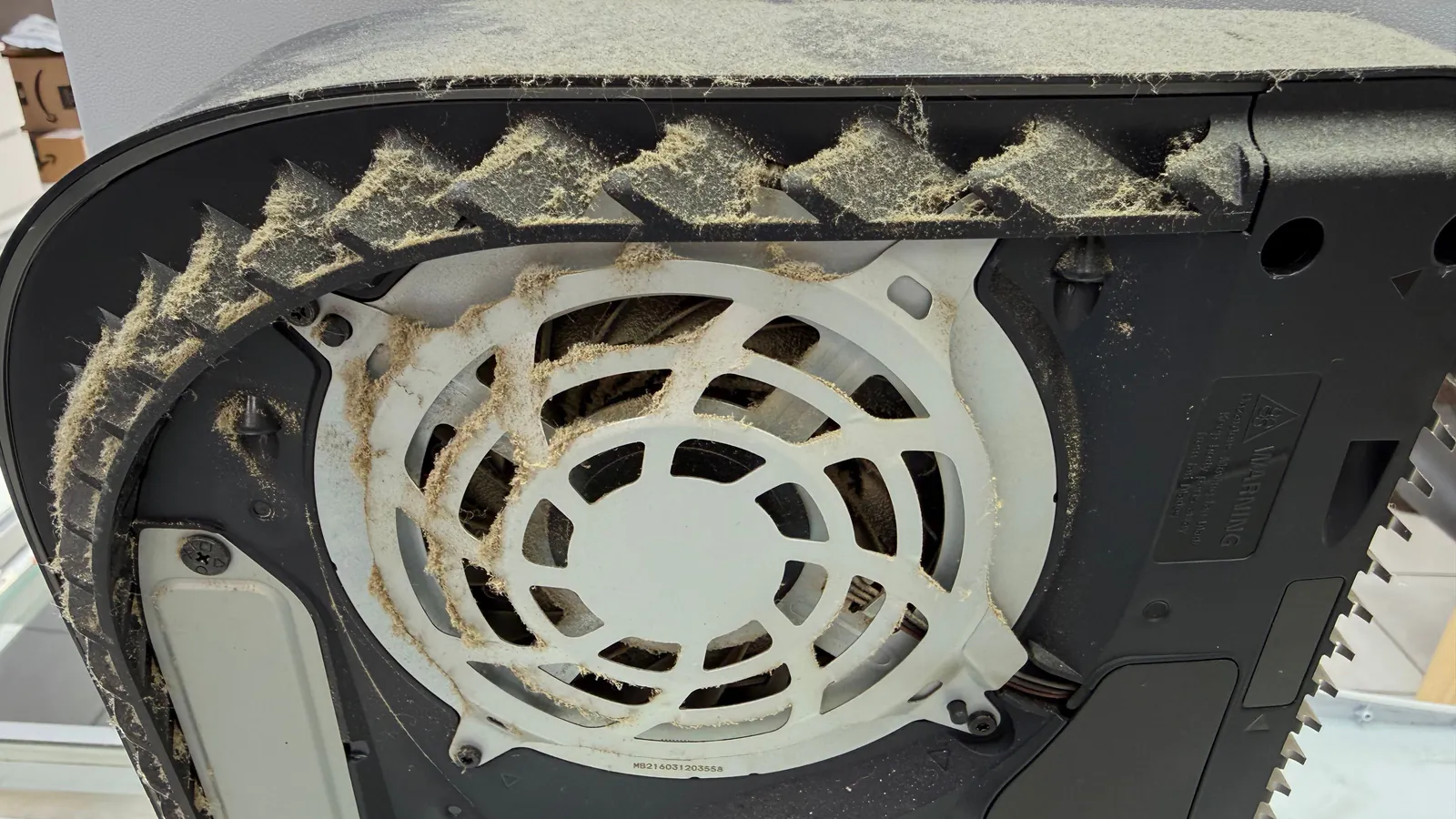
Dust Cleaning Through the Dust Catchers
- With the side panels removed, the two dust catcher holes can be vacuumed.
- This only removes surface dust; it does not clean the fan blades or the heatsink.
Disc Drive for PS5 Slim, Slim Digital, and PS5 Pro
- The PS5 Slim, Slim Digital Edition, and PS5 Pro use Sony's detachable Disc Drive for PS5 Digital Edition Consoles.
- It attaches under the console cover without soldering or touching the board.
- The console needs an internet connection once to pair with a new drive.
Medium
Fan Replacement or Deep Fan Cleaning
- It requires removing the fan and part of the shielding.
- The risk is damaging the fan cable connector or the fan's fragile blades.
Disc Drive Replacement on the Original PS5
- On the original PS5, the drive's logic board is paired to the console's motherboard.
- A replacement drive only works if the original drive board is moved to the new unit, which needs care and, on some boards, soldering.
- Swapping the whole drive from another PS5 will not work.
Power Supply Replacement
- The power supply is a separate unit inside the console.
- High voltage components can hold a charge, and a wrong connection can damage the motherboard.
Hard
Full Teardown, Heatsink, and Thermal Service
- It requires full disassembly down to the motherboard.
- The PS5 uses liquid metal between the processor and the heatsink. Liquid metal conducts electricity, so a drop that reaches the board can short components.
- Replacing it with regular thermal paste is not the same and can raise temperatures. Our article on PS5 vertical or horizontal explains how the liquid metal behaves over time.
Expert
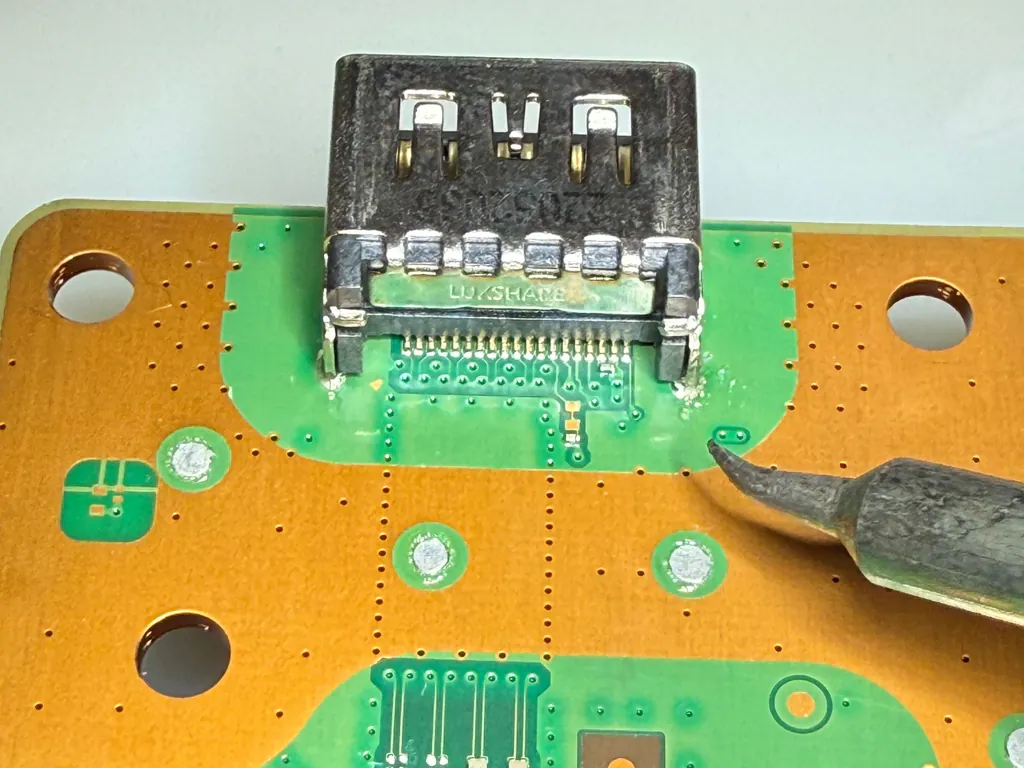
HDMI Port Replacement
- The HDMI port is soldered to the motherboard with dozens of tiny pins.
- It needs hot air, flux, a microscope, and experience to avoid lifting pads or damaging the nearby retimer chip.
- It is one of the most common PS5 repairs, and one of the most common failed DIY attempts.
HDMI Retimer Chip and Board-Level Repairs
When there is no video even with a new port, the HDMI retimer chip or other components may be damaged. That is microsoldering work only.
APU, Storage, or Power Rail Faults
No power or the blue light of death calls for board-level diagnosis with measurements. It is not a DIY job.
What Opening the PS5 Means for the Warranty
- Removing the side panels and installing an M.2 SSD is allowed by Sony.
- Opening the console beyond that (removing the shielding, the fan, or the motherboard) can affect Sony's warranty coverage if Sony determines the console was tampered with.
- If your PS5 is still under Sony's warranty, check that option first before any repair that requires a full teardown.
Why Even Medium Repairs Are Best Left to a Technician
- Fragile ribbon cables and connectors break easily.
- Liquid metal can short the board.
- Screws come in different lengths, and the wrong screw in the wrong hole can damage the board.
- A failed DIY attempt often turns a simple repair into a board-level one.
Difficulty Table
| Repair | Difficulty | DIY? |
|---|---|---|
| M.2 SSD upgrade | Easy | Yes |
| Dust catcher cleaning | Easy | Yes |
| Detachable disc drive (Slim and Pro) | Easy | Yes |
| Fan replacement or deep cleaning | Medium | Technician recommended |
| Disc drive replacement (original PS5) | Medium | Technician recommended |
| Power supply replacement | Medium | Technician recommended |
| Liquid metal and thermal service | Hard | Technician |
| HDMI port replacement | Expert | Technician (microsoldering) |
| Board-level repair | Expert | Technician (microsoldering) |
Need a PS5 Repair in Hialeah?
Star Phone Fix repairs PS5 consoles in-house at its Hialeah shop, from deep cleaning and power supply replacement to HDMI port microsoldering. Our PS5 Repair page lists every console repair. We also stock Sony's Disc Drive for PS5 Digital Edition Consoles new and sealed, to install yourself or with our help.
Frequently Asked Questions
Does adding an SSD to my PS5 void the warranty?
No. Sony officially supports installing a compatible M.2 SSD in the expansion slot, and the job only requires removing the side panel and one screw on the slot cover. Use a PCIe Gen4 NVMe drive with a heatsink that fits the slot, and the warranty stays as it was.
Can I replace the PS5 HDMI port myself?
It is not recommended without microsoldering experience. The port is soldered to the motherboard with many small pins, and too much heat can lift pads or damage the nearby HDMI retimer chip, turning a port replacement into a more complex board repair.
Can I swap the disc drive from another PS5?
On the original PS5, not directly: the drive's logic board is paired to the motherboard, so a drive from another console will not read discs unless the original drive board is moved to it. On the PS5 Slim, Slim Digital Edition, and PS5 Pro, the detachable drive pairs online once, so a new one works.
Is it safe to replace the liquid metal on a PS5?
Only with the right preparation. Liquid metal conducts electricity, so a stray drop on the motherboard can short components. The original seal and insulation around the processor must be in good condition, and the old metal fully removed, before the new liquid metal is applied.