PlayStation 5 Repair in Hialeah
PlayStation 5 repair in Hialeah for HDMI failures, power supply problems, DualSense controller issues, and maintenance on PlayStation 5, PlayStation 5 Slim, and PlayStation 5 Pro.
PS5, PS5 Slim and PS5 Pro Repair: HDMI, Power Supply, Controllers and Cleaning
Looking for reliable PS5 repair in Hialeah? Whether you own the original PlayStation 5, the more compact PlayStation 5 Slim, or the higher-performance PlayStation 5 Pro, a hardware failure can put your gaming on hold. We focus on diagnosing the actual root cause instead of guessing. From an HDMI port that sends no signal to a console that won't turn on, we carefully evaluate your system and provide a clear, personalized quote before any repair work begins.
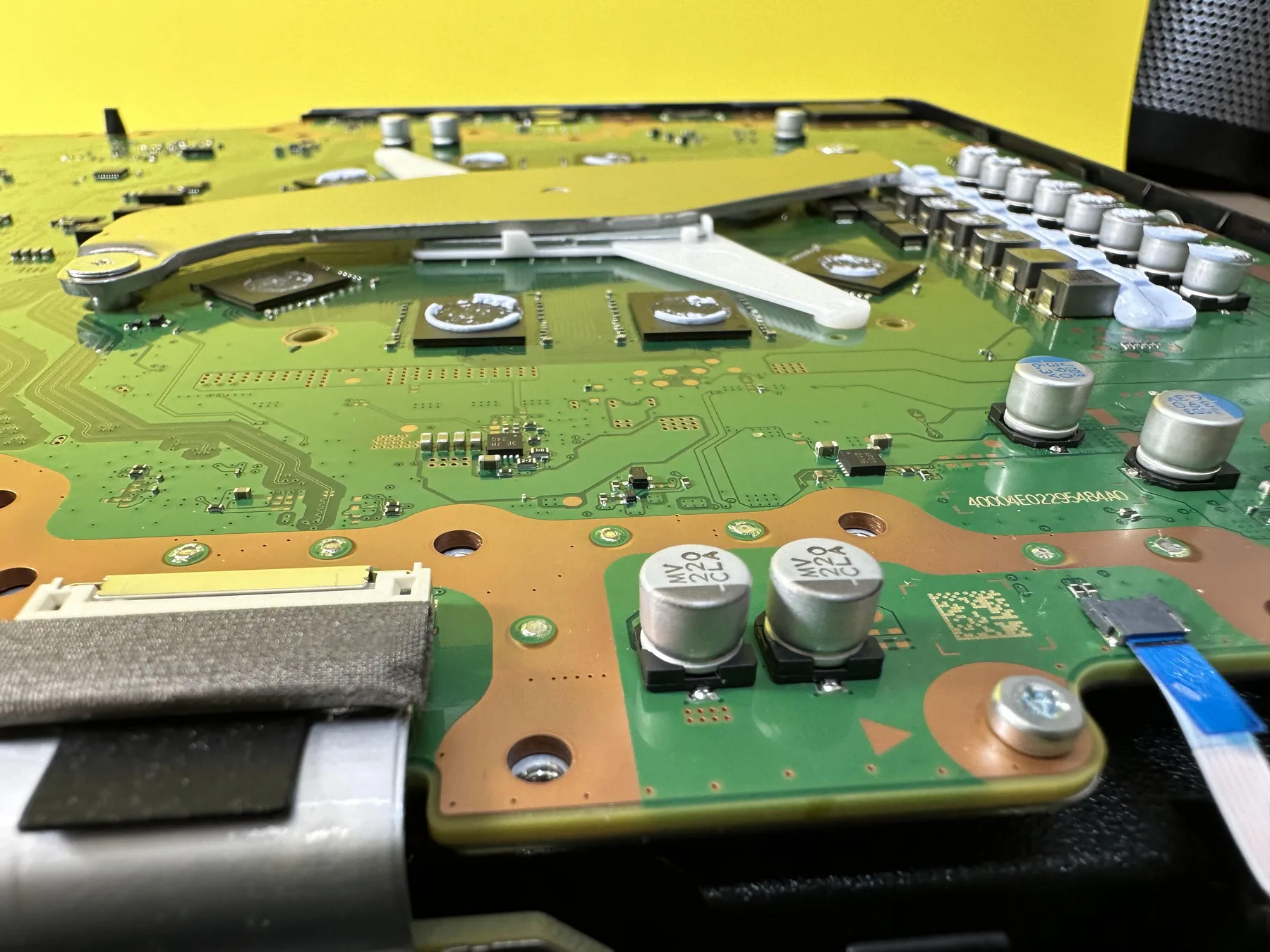
Because the PS5's internal design is quite complex, we organize our services into four main categories: HDMI Repair, Power Supply Replacement, DualSense Controller Repair, and Deep Cleaning Maintenance. Customers typically come to us after finding a bent HDMI port, a console that went dead after a power surge, persistent stick drift during games, or a loud fan from dust buildup. If you're not sure yet what's wrong, our PS5 troubleshooting guide walks through the beep codes and light patterns that point to each issue. Choose the category that matches your issue below to see our repair paths for each generation.
We work efficiently to get your console back in your entertainment center. Turnaround depends on the diagnosis, the extent of the internal damage, and the specific replacement parts your model needs, so bring it in for an evaluation and we'll give you a realistic time estimate. No appointment is required. Visit our Hialeah shop during business hours, or call (786) 589-3441 first to ask about availability and pricing guidance.
Common PS5 warning signs
- Turns on with a solid white light, but sends no image to the TV
- Won't power on at all, especially after a power surge or lightning strike
- Turns on, makes a single beep, and shuts off right away
- Beeps three times and shuts off without showing any lights
- Games crash or freeze often, especially during longer play sessions
- Shuts off on its own during heavy gameplay with no warning
- Disc drive won't read games, makes grinding noises, or gets discs stuck
- Fan noise and overheating warnings that have gotten worse over time
- Gets stuck on the PlayStation startup logo screen
- DualSense controller stick drifts, or trigger buttons feel unresponsive
Get a Fast, Free Quote
Bring in your device for a free diagnosis, no appointment needed. Every repair includes a 90-day warranty. No fix, no charge. Our technicians speak English and Spanish.
Call (786) 589-3441Common PS5 repairs
For DualSense controllers that keep drifting, we also offer an upgrade to drift-resistant TMR joysticks.
Frequently Asked Questions
Can I walk in with a PS5 that will not turn on?
Yes. No appointment is required. Bring a PlayStation 5, PlayStation 5 Slim, or PlayStation 5 Pro to our Hialeah shop during business hours and we'll diagnose whether the problem is the power supply, a short on the board, or something simpler, including consoles that went dead after a power surge or lightning strike. If you want us to hold a time window, call (786) 589-3441 first.
What do the beeps mean when my PS5 won't turn on?
A single beep followed by an immediate shutdown usually points to a general startup error, while three beeps with no lights at all often mean a deeper hardware fault, commonly the power supply or the motherboard. Either pattern is worth bringing in rather than guessing. We run a full diagnosis to confirm the exact cause before quoting a repair.
Why does my PS5 go black on HDMI after it beeps?
A damaged HDMI port is the usual cause when the console powers on but the TV gets no picture. We inspect the port under magnification, confirm it is not just a cable or TV setting, and quote HDMI repair before any work begins. That job has its own page if you already know the port is bent or missing pins.
Why is my PS5 fan so loud, and does it need a deep cleaning?
Dust buildup inside the console blocks airflow and makes the fan work harder to keep the system cool, which is the most common cause of loud fan noise and overheating warnings over time. A deep cleaning that clears the vents and heatsink, along with fresh thermal paste when needed, usually solves it. We recommend a checkup roughly once a year for a console used daily.
Does a disc edition PS5 still need the drive if I play digital games?
If you only play downloads, a failing disc drive may not stop a PlayStation 5 or PlayStation 5 Slim from running. If the drive spins or will not eject, we still diagnose it. Digital editions and PlayStation 5 Pro have no disc drive, so we skip that check and look at HDMI, power, and cooling.
Will a PS5 repair erase my games or my PlayStation Network account?
Hardware work on HDMI, the power supply, or the cooling system does not touch your saved games or account. We leave the storage installed unless you ask us to remove it. If a specific job carries any data risk, we tell you that in the quote before we open the console.
Can you fix DualSense stick drift while the console is in the shop?
Yes. DualSense drift, stuck buttons, and charging problems are a separate repair from the console. If you drop both off together, we quote each job on its own so you can approve one or both. Mention it when you walk in so we set the controller aside with the console.
Do you ship my PS5 to Sony or another repair center?
No. PS5 repairs, from HDMI port replacement to power supply and overheating fixes, are completed in-house at our Hialeah shop. Your PS5 does not leave our store, which avoids shipping damage and mail-in wait times.
Does PlayStation 5 repair come with a warranty?
Yes. Every repair at Star Phone Fix includes a 90-day warranty that covers the parts we replace and the labor of that repair under normal use. It does not cover new accidental damage, liquid damage after pickup, or software issues unrelated to the repair.
Request a quote for PS5 repair
Bring your PlayStation 5, PlayStation 5 Slim, or PlayStation 5 Pro for a free diagnosis and a personalized quote.